
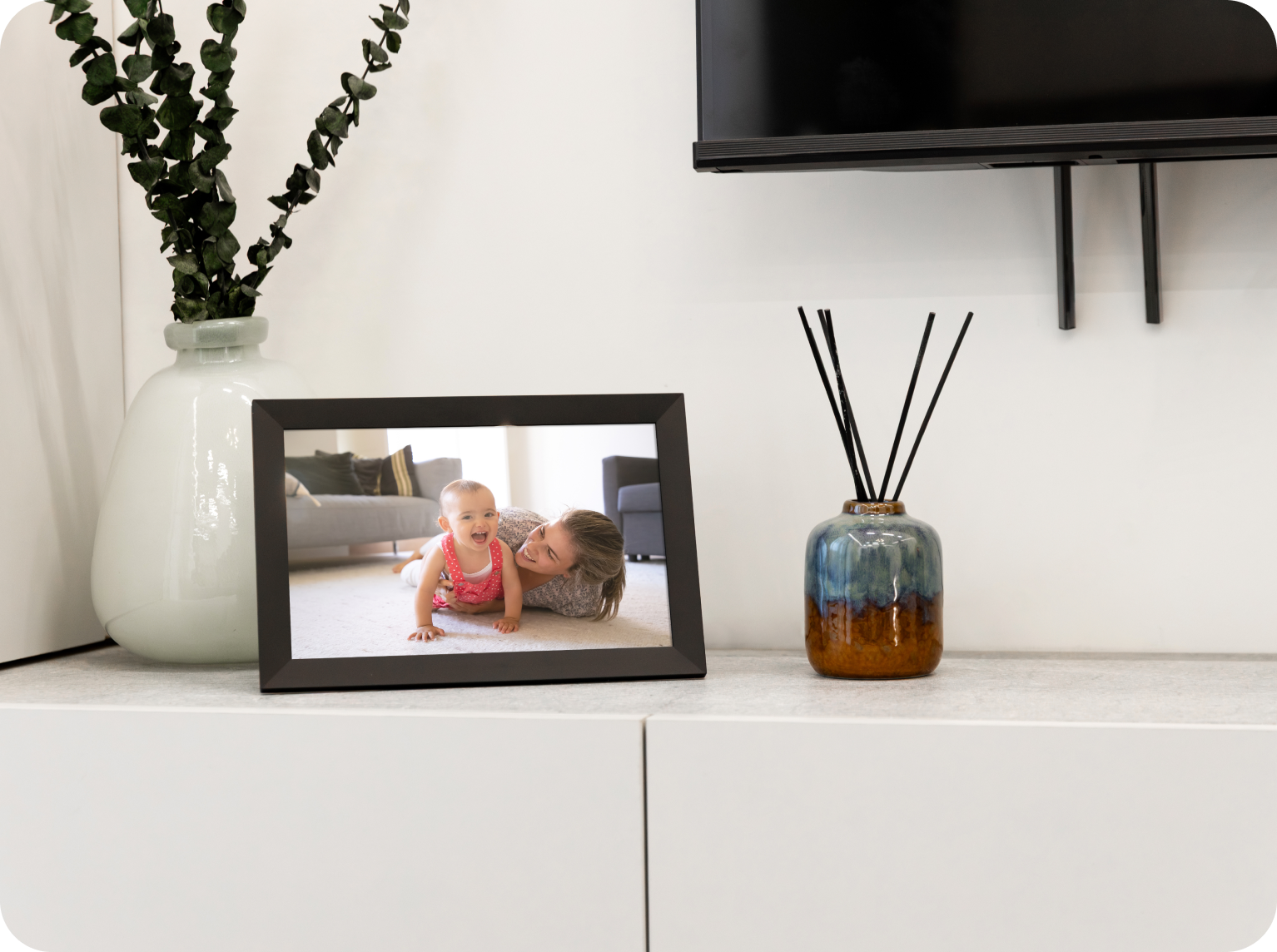
What Is the Memory Frame Digital Picture Frame?
The Memory Frame Digital Picture Frame is a Wi-Fi–enabled digital photo frame designed for remote photo and video sharing. It allows users to send images and short videos directly to the frame using the Frameo mobile app or the microSD card slot. You won’t need USB drives or manual file transfers.
The Memory Frame makes sharing memories simple, especially between family members who live in different locations. It is ideal for parents, grandparents, and households that want continuously updated photo displays without a complex setup.
Who Is the Memory Frame Digital Picture Frame Best For?
The Memory Frame Digital Picture Frame is best for users who want an easy, low-maintenance way to receive and display photos.
It is especially well suited for:
-
Parents and grandparents who are not comfortable using smartphones or social media
-
Families sharing photos across long distances
-
Gift recipients who want a device that works automatically once set up
-
Families that want a photo display that updates automatically rather than a static frame
Thanks to its approachable and intuitve tech, anyone can use Memory Frame. Even better, multiple people can connect to the frame and send photos.
Memory Frame Digital Picture Frame Technical Specifications
The Memory Frame Digital Picture Frame uses a mid-sized display and internal storage designed for daily, continuous use.

Display
-
Screen size: 10.1 inches
-
Display type: IPS touchscreen
-
Resolution: 1280 × 800
-
Viewing angle: 178°
-
Auto-rotation: Supports portrait and landscape orientation
Storage
-
Internal storage: 32 GB
-
Expandable storage: microSD card support
-
Estimated capacity: approximately 16,000 photos or 7 hours of short videos
Supported File Formats
-
Photos: JPEG, PNG, BMP, GIF
-
Video: MP4 (up to 15 seconds)
Connectivity & Power
-
Wi-Fi (at least 2.4 GHz) required for remote photo sharing
-
Cable length: 5 Feet
-
Power: US plug
-
Built-in speaker for video audio playback
How to Set Up Memory Frame
Setting up the Memory Frame Digital Picture Frame typically takes only a few minutes and just three simple steps.
-
Plug In and Connect to Wi-Fi
Power on Memory Frame, open ‘Settings,’ select Wi-Fi, pick your network, type in the password and you’re connected to the internet. -
Pair Your Phone
Download the Frameo app on iPhone or Android. On your Memory Frame, press ‘Friend Code’ to display a passcode. Type this code into the app to connect to your Memory Frame. Otherwise, share the passcode with family and friends so they can start sending photos and short videos. -
Share Photos
To send photos to Memory Frame, simply open the app, and select the photos or short videos you want to share. Then, choose who you want to send them to. You can even add an optional caption before you hit send. You can send multiple photos at once; they will appear on Memory Frame shortly after.
How to Send Photos to the Memory Frame Digital Picture Frame
Photos and videos are sent to Memory Frame using the Frameo mobile app. It’s an easy-to-use, intuitive app.
Here’s the process:
-
Select the photos or short videos you want to send from your smartphone
-
Add optional captions or messages
-
Hit ‘send’ to share the selected content over Wi-Fi
Photos typically appear on the frame within seconds. Multiple contributors can send content simultaneously once they have access.
Memory Frame App Overview (Frameo App)

The Frameo app acts as the control center for Memory Frame. Its key functions include:
-
Sending photos and videos to Memory Frame remotely
-
Managing multiple frames from one account
-
Granting or revoking contributor access
-
Deleting photos from the frame remotely
-
Adding captions to individual photos
The app is designed to be simple and does not need ongoing management once sharing permissions are set. The Frameo app is available on both iOS and Android devices and does not require a paid subscription.
Memory Frame Features
Memory Frame combines an advanced touchscreen display with intuitive use.
Touchscreen Navigation
Users can swipe through photos directly on the frame. This is helpful for anyone who wants occasional manual control without using a phone.
Remote Photo Sharing
Remote photo sharing allows photos and short videos to be sent to the Memory Frame Digital Picture Frame over Wi-Fi using the Frameo app. This feature supports long-distance family connection by allowing multiple people to send photos from anywhere. It is commonly used to share daily moments, milestones, and travel updates with parents or grandparents who may not use social media.
Advanced Display
The 10.1-inch IPS display with wide viewing angles keeps photos clear and vibrant from different positions in a room. This makes the frame suitable for shared living spaces such as living rooms, kitchens, or hallways, where photos need to be visible from multiple angles.
Privacy Protections
Memory Frame includes built-in privacy controls. Only approved users can send content, and access can be managed or revoked at any time. The product is GDPR and CCPA compliant. This is important for families sharing personal photos, particularly when the frame is used in private home environments or gifted to older relatives.
No Subscriptions
Memory Frame Digital does not require a paid subscription. All core features are available through the free Frameo app. This makes the frame suitable as a long-term gift, eliminating ongoing costs for the recipient and reducing maintenance concerns.
Auto-Rotation
Auto-rotation allows Memory Frame to automatically adjust between portrait and landscape orientation depending on how it is placed. This feature supports flexible home decor placement, whether the frame is displayed on a desk, shelf, or mounted on a wall. It also ensures photos display correctly, without manual adjustments
Albums and Slideshows

Photos sent to the Memory Frame Digital Picture Frame can be organized into albums and displayed as slideshows. Albums are useful for organizing content by trips, events, or people. For example, travel photos can be grouped into a dedicated album and looped as a slideshow at home. With 32 GB of internal storage, the frame can store approximately 16,000 photos or about 7 hours of short video content.
Reactions
Memory Frame allows reactions to photos, adding a small interactive element between senders and recipients such as a heart or a smiley face. Reactions add a light interactive element for families sharing photos remotely, helping contributors know which moments resonate most with the frame user.
Clock and Weather Display
In addition to photos, the Memory Frame can display the current time and a short weather forecast. This allows the device to serve as a practical household display, even when photos are not actively changing.
Memory Frame Digital Picture Frame is designed for situations where photos need to update remotely, display continuously, and remain easy to manage after setup. Its features support a wide range of personal and light commercial use cases.
Memory Frame Primary Use Cases
Family Connection Across Distances
Families use Memory Frame to share photos and short videos with parents or grandparents. Multiple users can send content through the Frameo app, and new photos appear automatically on the frame, often within seconds.
Gifts for Special Occasions
Memory Frame makes an excellent gift for holidays, birthdays, weddings, and anniversaries. Its short setup process and touchscreen interface make it approachable for users of all ages, including non-technical recipients.
Showcasing Travel Memories
Travel photos can be organized into albums and displayed as slideshows. Photos can be sent while traveling and curated later, with 32 GB of internal storage supporting large photo collections.
Personalized Home Decor
Memory Frame makes a great decorative display in shared living spaces. Auto-rotation and flexible mounting support both portrait and landscape placement, while albums help control what’s shown.

Additional Use Cases
Pet Parents
Pet owners use Memory Frame to share daily pet photos with family members. Dedicated albums and reactions allow easy interaction without messaging.
College Students (for Parents)
Parents use Memory Frame to receive casual updates from college-age children. Photos appear automatically without requiring calls or social media.
Wedding Welcome Desks
Memory Frame can display engagement photos, curated albums, or guest-submitted images at wedding receptions or welcome tables.
Memorial and Remembrance Displays
Memory Frame is a thoughtful addition to memorial settings. It can display photo slideshows in a continuous, low-interaction format.
Airbnb and Short-Term Rentals
Hosts use Memory Frame to show house information, local highlights, or rotating property images, with remote updates possible.
Photography Studios
Studios use Memory Frame to loop portfolios or client previews in waiting areas using albums and slideshows.
Memory Frame Storage and File Support
The Memory Frame Digital Picture Frame stores content locally once it is received.
Important storage considerations:
-
Photos remain on the frame even if Wi-Fi disconnects
-
Storage can be expanded using a microSD card
-
Videos are limited to short clips (up to 15 seconds)
This storage approach prioritizes reliability and ease of use over advanced media management.
Does the Memory Frame Digital Picture Frame Require a Subscription?
No, the Memory Frame Digital Picture Frame does not require a subscription.
The Frameo app is free to use, and all core features—including remote photo sharing, multiple contributors, and photo management—are available without ongoing fees.
Memory Frame Privacy and Compliance
The Memory Frame Digital Picture Frame follows standard privacy and data protection practices.
Key privacy points:
-
GDPR compliant
-
CCPA compliant
-
Only approved users can send content to the frame
-
Access can be revoked at any time through the app
Photos are shared directly between approved users and the frame, rather than being publicly accessible.
Memory Frame Limitations and Considerations
While the Memory Frame Digital Picture Frame is designed for simplicity, there are a few limitations to consider:
-
Wi-Fi is required for receiving new photos remotely
-
Video length is limited to short clips
-
The frame does not support social media syncing
-
Advanced customization options are intentionally limited
-
Initial setup requires a smartphone
These limitations help keep the experience simple, but may not suit users looking for advanced media control.
What the Memory Frame Does and Does Not Do
What it does
-
Displays photos and short videos sent remotely
-
Allows multiple contributors
-
Stores content locally
-
Works automatically once set up
What it does not do
-
Stream live video
-
Sync directly with cloud photo libraries
-
Play long-form videos
-
Require ongoing interaction from the frame user
Memory Frame FAQs
Do you need Wi-Fi to use the Memory Frame Digital Picture Frame?
Wi-Fi is required to receive new photos and videos. Existing photos remain visible without Wi-Fi.
Can multiple people send photos to the Memory Frame Digital Picture Frame?
Yes. Multiple contributors can be invited through the Frameo app.
Can photos be deleted remotely?
Yes. Photos can be removed using the app without touching the frame.
Does the Memory Frame Digital Picture Frame work internationally?
Yes, as long as the frame is connected to Wi-Fi. International plug adapters may be required.
Is the Memory Frame Digital Picture Frame suitable for seniors?
Yes. Once set up, the frame updates automatically and requires minimal interaction.
Final Recap: Who Memory Frame Is Best For
Memory Frame is built to make photo sharing straightforward and dependable. Its core features are remote sharing, ease of use, and a display that stays active in the home without requiring constant interaction or technical upkeep.
This digital photo frame makes the most sense for families and gift recipients who want photos to update automatically without needing ongoing setup or technical management. It’s designed to stay on in the background, quietly refreshing with new images as they’re shared.
Share:
Memory Frame: how people actually use their digital photo frame